11 Aug 2026
Restricted-use reliability and protected exports
This revision resolves incomplete restricted-state rendering and interaction behaviour across the archive, while retaining the export privacy safeguard.
Restricted-use visibility across the archive
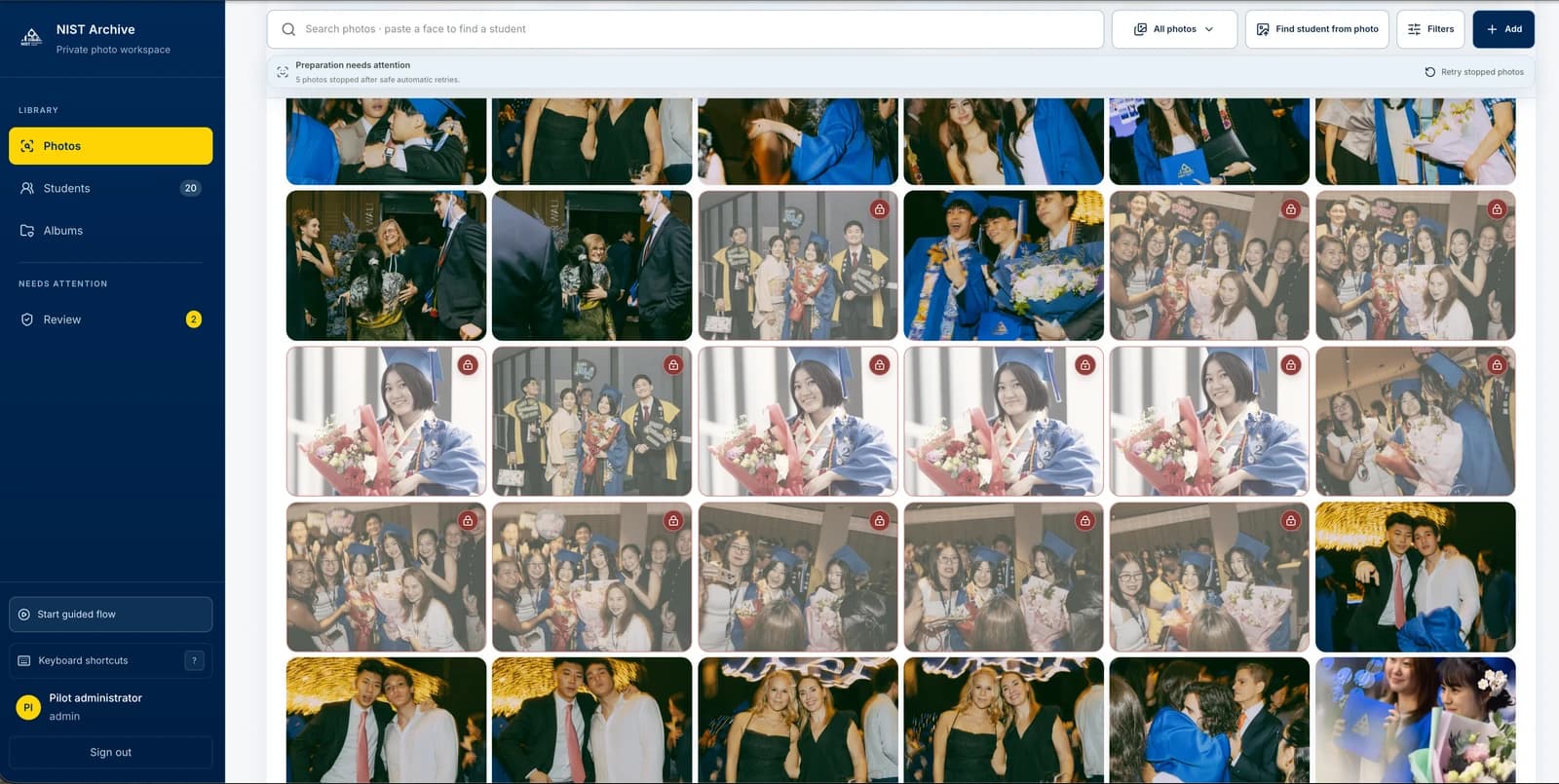
Restricted photos remain visibly marked in Photos, student records, previews, review, albums, and export surfaces.
What changed
A restricted student now carries a consistent restricted-use state to associated photos, including group photos, rather than disappearing or losing its marker on downstream screens.
Why
The restricted state previously appeared inconsistently across archive surfaces.
Restricted visual treatment and selection clarity
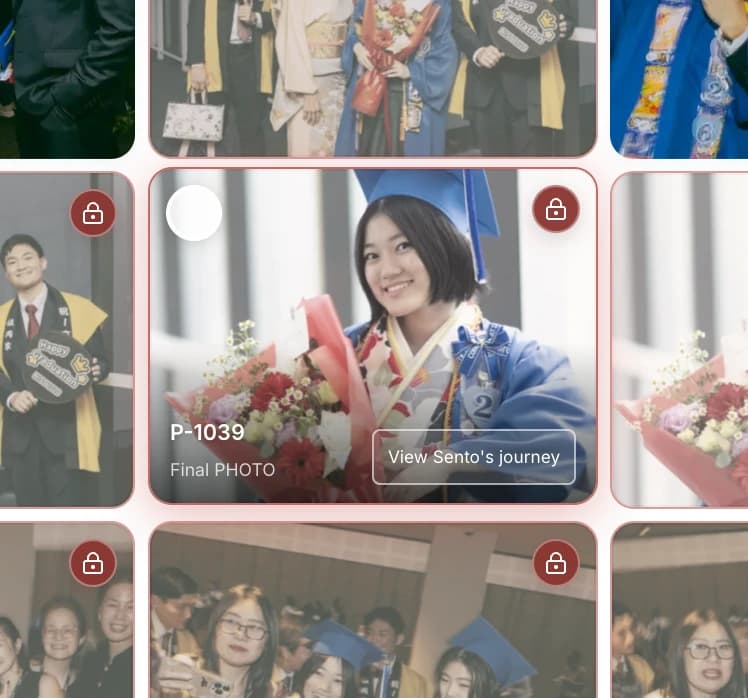
Restricted photos stay available to staff while appearing visibly distinct from standard content.
What changed
Restricted imagery uses a softer colour treatment and a restrained red boundary. On hover, a soft red glow lifts the affected photo from a dense grid while standard selection remains legible.
Why
Staff needed to distinguish restricted photos quickly in dense grids and related views.
Restricted export confirmation
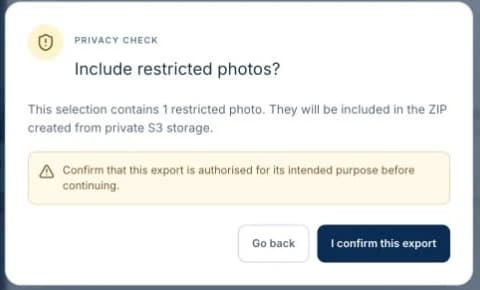
Restricted-use content is identified before an export continues.
What changed
The export workflow now alerts staff when selected photos contain restricted-use content, reducing accidental export risk.
Restriction controls and motion polish
Restrict and allow actions communicate their saving state, close successfully after completion, and follow the product's shared motion system.
What changed
Restriction controls prevent duplicate saves, close the originating menu and confirmation dialog after a successful update, and keep dismissal behaviour predictable through the backdrop and Escape key where supported. Shared motion timings respect Reduce Motion preferences.
Why
The Restrict flow could appear stuck after saving, making it unclear whether the setting had changed.